


Introduction
The holiday season is all about creating a warm, cheerful atmosphere, and that doesn’t have to stop at your home decorations. Your smartphone is something you look at dozens—if not hundreds—of times every day, so why not give it a festive makeover too? One of the easiest ways to do that is by using Christmas app icons.
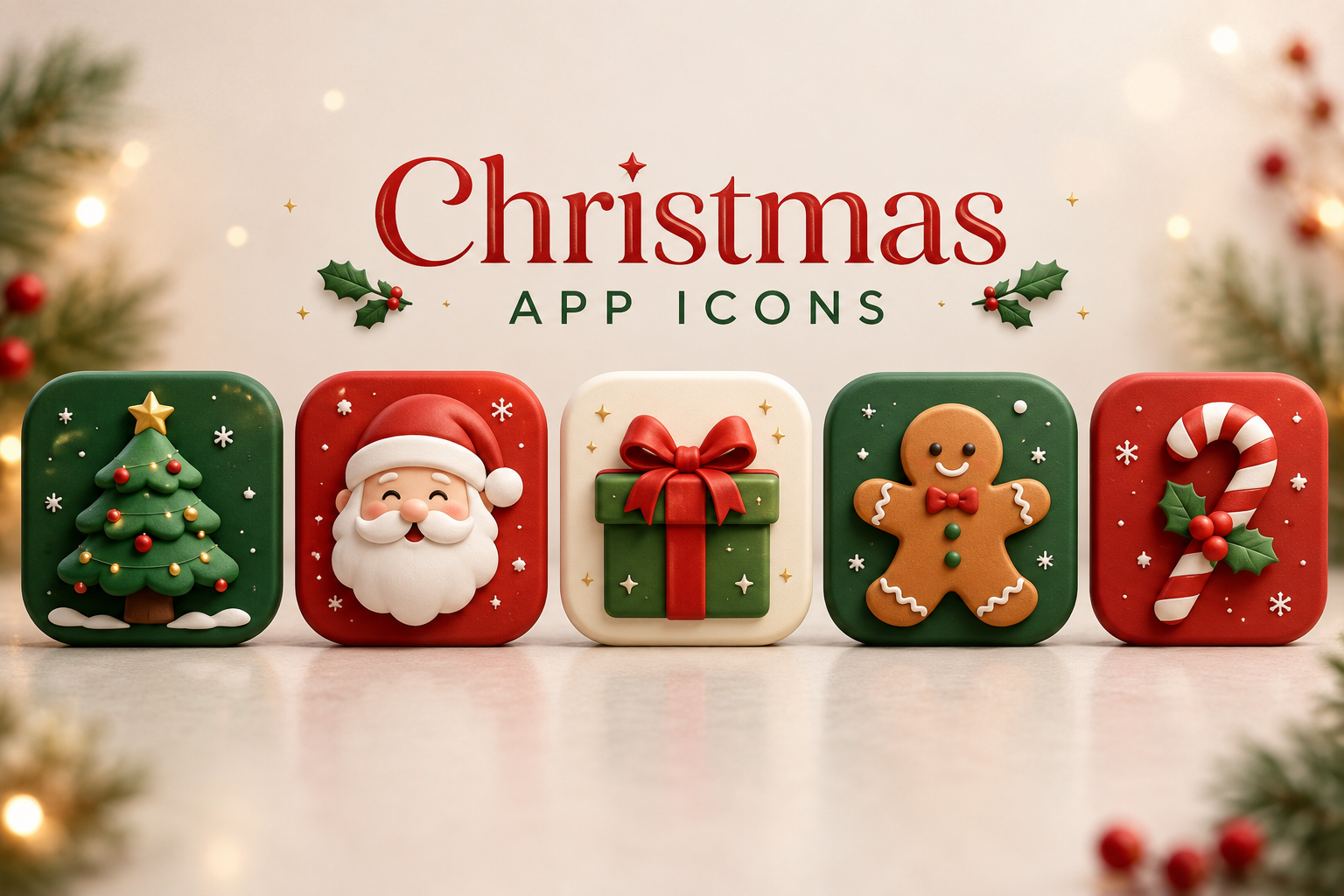
Christmas app icons are custom-designed icons that replace your phone’s default app icons with holiday-themed versions. Instead of ordinary icons, you can enjoy festive designs featuring Santa Claus, Christmas trees, candy canes, snowflakes, gingerbread cookies, reindeer, ornaments, and sparkling lights. It’s a small change that can make your device feel much more festive throughout December.
Whether you love elegant winter aesthetics or colorful Christmas decorations, there are countless icon packs available for both Android and iPhone users. Let’s explore everything you need to know about Christmas app icons and how they can completely refresh your phone for the holidays.
What Are Christmas App Icons?
Christmas app icons are decorative replacements for the standard icons found on your smartphone. Instead of the original appearance of apps like Messages, Instagram, Camera, or Spotify, these icons feature holiday-inspired artwork while still opening the same applications.
These icon packs are designed by talented artists who combine seasonal colors such as red, green, white, and gold with recognizable holiday symbols. Some packs follow a playful cartoon style, while others use elegant minimalist designs that match premium home screen themes.
The best part is that they allow you to personalize your device without changing how your apps actually function. You still use your favorite apps exactly the same way—the only difference is their appearance.
Why Christmas App Icons Are So Popular
People love decorating for Christmas, and smartphones have become another place to express holiday spirit. Just as we decorate our homes with lights and ornaments, customizing a phone creates a fun seasonal experience every time we unlock the screen.
Social media has also played a huge role in their popularity. Beautiful holiday-themed home screens regularly appear on Instagram, Pinterest, TikTok, and YouTube, inspiring more people to personalize their devices. Many users enjoy sharing screenshots of their festive layouts with friends and followers.
Another reason is the growing interest in phone customization. Custom wallpapers, widgets, fonts, and icon packs have become extremely popular over the last few years. Christmas app icons fit perfectly into this trend by adding a temporary seasonal touch that’s easy to install and remove.
Different Styles of Christmas App Icons
Not every Christmas icon pack looks the same. Designers create a wide variety of styles to match different personalities and preferences.
Traditional Christmas icons feature classic holiday colors like deep red, forest green, snowy white, and shiny gold. These often include Santa hats, Christmas trees, wrapped presents, bells, stockings, and holly leaves. They create a nostalgic holiday feeling that many people love.
Minimalist Christmas icon packs use clean shapes, simple outlines, and soft winter colors. Rather than overwhelming your home screen, they provide a subtle festive appearance that’s perfect for users who prefer elegant designs.
Cute Christmas icon packs are especially popular among younger users. These feature smiling snowmen, adorable penguins, gingerbread characters, cozy mugs of hot chocolate, and playful reindeer illustrations. They make every app feel fun and cheerful.
Benefits of Using Christmas App Icons
One major benefit is personalization. Instead of having the same phone layout as everyone else, your device reflects your own holiday style and personality.
Another advantage is that festive icons improve the overall appearance of your home screen. When paired with matching wallpapers and widgets, your smartphone can look professionally designed with a cohesive Christmas theme.
Christmas app icons can also make using your phone feel more enjoyable during the holiday season. Small visual details often have a surprisingly positive impact on your mood, especially when they remind you of family gatherings, holiday traditions, and winter celebrations.
How to Install Christmas App Icons
Installing Christmas app icons is generally simple, although the process differs slightly between Android and iPhone devices.
Android users have the easiest experience because many launchers support complete icon packs. After downloading an icon pack, you simply apply it through your launcher settings, and your entire home screen changes instantly.
iPhone users typically customize icons using the Shortcuts app. While it takes a little more time because each shortcut must be created individually, the results can be just as impressive. Many downloadable icon packs include detailed installation guides that make the process much easier.
Regardless of your device, it’s a good idea to organize your apps before changing the icons. A clean layout helps your new holiday theme look polished and visually balanced.
Choosing the Best Christmas App Icons
With thousands of options available, selecting the right icon pack can feel overwhelming. Start by deciding on the overall style you want for your home screen.
If you enjoy classic Christmas decorations, choose icon packs featuring traditional holiday imagery. These designs never go out of style and work well with festive wallpapers.
If your phone already has a modern aesthetic, minimalist icon packs may be a better fit. Their simple designs blend beautifully with clean layouts while still capturing the holiday spirit.
It’s also important to choose high-quality icons with consistent artwork. Professional icon packs maintain the same design style across every icon, creating a much more polished appearance than random collections.
Pairing Icons with Christmas Wallpapers
Great app icons become even more impressive when paired with matching wallpapers. The wallpaper serves as the foundation of your home screen, while the icons complete the overall design.
Popular Christmas wallpapers include snowy forests, cozy fireplaces, decorated Christmas trees, sparkling lights, wrapped presents, winter cabins, and festive city streets. Matching these backgrounds with complementary icons creates a unified look.
You can also add holiday widgets that display the weather, calendar, clock, or countdown to Christmas. Combined with custom icons, these elements create a personalized home screen that feels both festive and functional.
Free vs Premium Christmas App Icons
Many excellent Christmas app icons are available for free. These packs often include dozens of popular app icons and are perfect for casual users who simply want a seasonal refresh.
Premium icon packs usually provide larger collections with hundreds of icons, regular updates, higher-quality artwork, and support for less common apps. Designers also tend to maintain a consistent artistic style across the entire collection.
If you enjoy customizing your phone every holiday season, investing in a premium icon pack can be worthwhile. However, free options are more than sufficient for most users.
Tips for Creating a Beautiful Christmas Home Screen
Try to keep your color palette consistent throughout the design. Mixing too many colors can make the home screen feel cluttered instead of festive.
Limit the number of widgets so your icons remain easy to see. A balanced layout usually looks cleaner and is easier to navigate during daily use.
Finally, don’t be afraid to experiment. You can always rearrange apps, change wallpapers, or switch icon packs until you find a combination that perfectly matches your holiday style.
Conclusion
Christmas app icons are one of the simplest ways to celebrate the holiday season through your smartphone. They allow you to transform an ordinary home screen into something cheerful, festive, and uniquely personal without changing how your apps function.
Whether you prefer classic Christmas decorations, elegant winter themes, or cute holiday illustrations, there’s an icon pack available to match your taste. Pair your icons with a beautiful wallpaper and a few seasonal widgets, and your phone will instantly capture the magic of Christmas.
As the holidays approach, a festive phone theme can bring a little extra joy every time you unlock your device. It’s a fun, creative, and inexpensive way to embrace the Christmas spirit wherever you go.
You May Also Read: Trade Offer Meme


