


Introduction
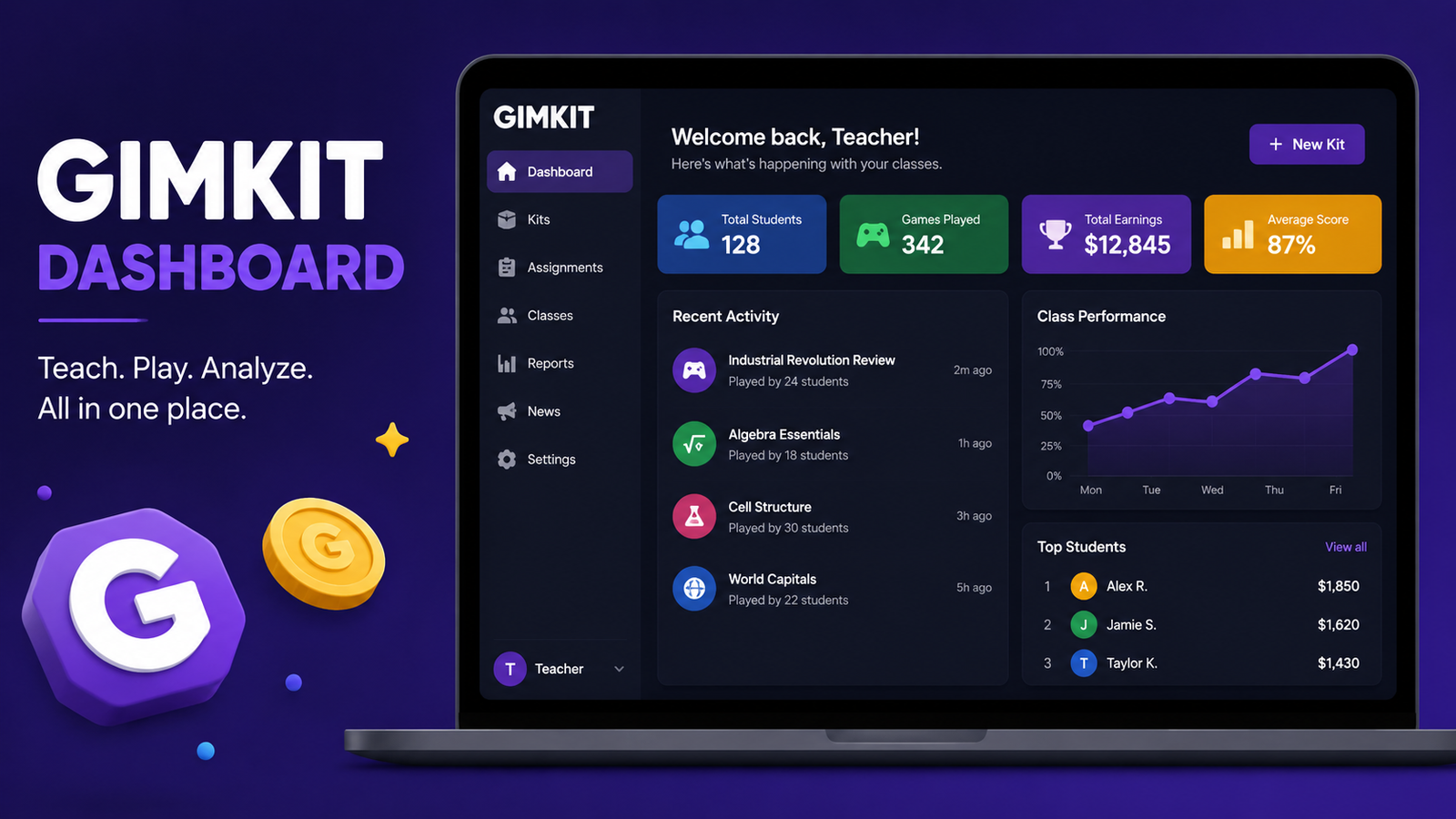
The Gimkit dashboard is the central hub where teachers and students manage everything related to their learning experience on Gimkit. Whether you’re creating interactive quizzes, tracking student progress, hosting live games, or reviewing performance reports, the dashboard simplifies every step. Designed with ease of use in mind, it provides quick access to essential tools without overwhelming users.
Over the past few years, gamified learning has become one of the most effective ways to keep students engaged. Traditional quizzes often struggle to hold students’ attention, but platforms like Gimkit transform assessments into exciting competitions. The Gimkit dashboard plays a major role in making this experience smooth by organizing lessons, assignments, and reports in one convenient location.
If you’re new to Gimkit or simply want to get more out of the platform, understanding how the Gimkit dashboard works can save time and improve classroom outcomes. In this guide, we’ll explore its features, explain how to navigate it efficiently, and share practical tips that educators can use every day.
What Is the Gimkit Dashboard?
The Gimkit dashboard serves as the main control center for every user. Once you log into your account, it’s the first page you see, offering quick access to your classes, kits, assignments, reports, and game modes. Everything is organized into clear sections, making navigation straightforward even for first-time users.
For teachers, the dashboard acts like a classroom management assistant. Instead of switching between multiple applications, educators can create quizzes, assign homework, monitor participation, and review student performance from one place. This centralized design reduces unnecessary clicks and helps teachers focus more on instruction than administration.
Students also benefit from a clean and user-friendly interface. They can easily locate assigned activities, review completed games, and monitor their own progress. Since everything is neatly arranged, students spend less time searching for assignments and more time actively learning.
Key Features of the Gimkit Dashboard
One of the biggest strengths of the Gimkit dashboard is its collection of practical features. Teachers can create custom question sets, known as Kits, using either manual entry or automated question generation. These Kits can be reused, edited, and shared across multiple classes, saving valuable preparation time.
Another standout feature is the assignments section. Instead of limiting learning to live classroom sessions, teachers can assign quizzes that students complete at their own pace. The dashboard tracks completion status automatically, allowing educators to quickly identify who has finished and who may need additional reminders.
The reporting tools deserve special attention as well. Rather than simply displaying final scores, the dashboard provides detailed insights into question accuracy, participation rates, and individual student performance. These analytics help teachers identify learning gaps and adjust future lessons based on real classroom data.
How Teachers Can Use the Gimkit Dashboard Effectively
Teachers can maximize the value of the Gimkit dashboard by organizing classes from the very beginning. Creating separate classes for different subjects or grade levels keeps assignments well structured and makes student management much easier throughout the school year.
Regularly reviewing reports is another excellent habit. Instead of waiting until the end of a unit, educators can analyze quiz results after each activity. This allows them to identify difficult topics early and provide additional instruction before misunderstandings become long-term problems.
The dashboard also supports consistent lesson planning. Teachers can prepare multiple Kits in advance and schedule assignments for future dates. This proactive approach reduces last-minute preparation and creates a smoother teaching experience, especially during busy academic periods.
Benefits for Students
Students appreciate the Gimkit dashboard because it presents information in a simple and organized format. Assigned activities are easy to find, reducing confusion and helping learners stay focused on completing their work rather than searching for it.
Another significant advantage is the immediate feedback provided after games and assignments. Instead of waiting days for results, students can quickly identify which questions they answered correctly and where they made mistakes. Instant feedback encourages continuous improvement and reinforces learning while concepts are still fresh.
The gamified environment also increases motivation. Earning virtual rewards, competing with classmates, and progressing through engaging game modes transforms ordinary quizzes into enjoyable learning experiences. This combination of education and entertainment helps maintain student interest over longer periods.
Tips for Getting the Most Out of the Gimkit Dashboard
One effective strategy is to keep Kits organized with descriptive titles and categories. As your library grows, clear naming conventions make it much easier to locate the right content for each lesson without wasting valuable classroom time.
Teachers should also experiment with different game modes available through the dashboard. Rotating between various formats prevents classroom activities from becoming repetitive and keeps students excited about participating. Variety often leads to higher engagement and stronger learning outcomes.
It’s equally important to review analytics consistently rather than occasionally. Small performance trends can reveal larger instructional opportunities. By using dashboard reports as part of regular lesson planning, educators can make more informed teaching decisions based on measurable classroom data instead of assumptions.
Common Challenges and How to Solve Them
New users sometimes feel overwhelmed by the number of available features. Fortunately, the dashboard’s layout is intuitive, and spending just a short amount of time exploring each section usually eliminates any initial confusion. Starting with basic functions before moving on to advanced features is often the best approach.
Internet connectivity can occasionally interrupt live games. To minimize disruptions, teachers should verify that classroom devices have stable internet access before starting a session. Having a backup activity prepared also helps maintain lesson momentum if technical issues occur.
Another challenge involves creating high-quality quiz content. While the dashboard makes quiz creation easy, the effectiveness of each Kit depends on well-written questions. Focusing on clear wording, balanced difficulty levels, and curriculum-aligned content ensures students receive meaningful practice rather than simply completing another game.
Why the Gimkit Dashboard Stands Out
Many educational platforms offer quiz creation, but the Gimkit dashboard combines classroom management, assessment, reporting, and gamification within a single interface. This integrated approach reduces the need for multiple tools and simplifies everyday teaching tasks.
The platform continues to evolve by introducing new game modes and improved features while maintaining an interface that remains approachable for both beginners and experienced educators. This balance between innovation and usability contributes to its growing popularity in classrooms worldwide.
Perhaps the greatest advantage is its ability to transform assessment into an engaging experience. Rather than viewing quizzes as stressful evaluations, students participate enthusiastically because learning feels interactive and rewarding. The dashboard makes managing this experience remarkably efficient for teachers.
Conclusion
The Gimkit dashboard has become an essential tool for educators seeking to make classroom learning more engaging, organized, and data-driven. Its intuitive design allows teachers to create lessons, assign activities, monitor student progress, and analyze performance without juggling multiple platforms. At the same time, students enjoy a streamlined learning experience that keeps them motivated through interactive gameplay and instant feedback.
As educational technology continues to advance, platforms that combine simplicity with meaningful insights will remain valuable. The Gimkit dashboard succeeds by helping teachers save time while giving students a more enjoyable way to learn. Whether you’re teaching in person, remotely, or through a hybrid classroom, mastering the Gimkit dashboard can improve both classroom efficiency and student engagement. By exploring its features regularly and making use of its reporting tools, educators can create learning experiences that are not only effective but also genuinely enjoyable for every student.
You May Also Read: TechBullion


